Please use DNS tickbox, will make it easier to trace…thanks
Apologies, he did that one for me (bit lazy because too busy)…
1 Like
Guys please do not post a trace with 3 sent packets and expect someone to investigate packet loss. Please run a lot more. Secondly which link are you asking about now and who?
uhm cant you see i did it guys
we sent you alot of screen shots from last night today and this evening ,what more do you need
This one for example:

This is a trace of 7 packets. No ways to diagnose with certainty where the packet loss is happening. Because only 7 packets. You have others with 3 or 5 packets only. Plus we have multiple guys posting multiple traces in here.
My problem is last night I logged in to the rbs the others identified as problematic. But it was after gametime ended already. Cause I was busy with other wug stuff.
I checked and could not see anything wrong with the link then. I’d really suggest we have one thread per link with a problem and not everyone posting randomly in a thread with just pictures and no comments. It is really not always clear what you imply is wrong when sending just a screen shot.
I am expected to guess what is wrong. Did you actually try and find the problematic link along your route? Log into each rb with ctwug/ctwug and find the problem. Show me links with out queues, poor CCQ or poor signal. Then we can focus on it.
I will try to focus on links with problems but really I only have so much time.
2 Likes

is this up to your standard?
Which gameserver are you tracing to?

Hi der @spin . . . Firstly thanks for all ure input and work that u put in . . . We really do appreciate . . . Although it maybe does not seem that way . . . It s just that after going through all the frustration of laggg that we have been experiencing it becomes a bit frustrating . . . Hence we started this post as per ure recommendation at our last AGM . . .
Also . . . I would like to comment on the screen print that u have posted . . .
That connection between rob’s link rb and his core rb looks a bit dodgy with losses of 3% on his local network between those 2 devices dont u think . . .
Possibly a lan cable issue ?
1 Like

@spin
As mentioned before . . . We appreciate u lookin into it for us . . . We really dont expect u to do this all by ureself . . . But would appreciate every little bit of help that we can get . . . After all - Posting these issues on the Forum was’nt meant to be a private affair between you and the ones thats complaining . . We were actually hoping to get some input from the rest of the community - Especially hoping to obtain some input from our Technical Admin Alumni and the likes . . . People that could assist with some positive input and recommendations towards a remedy . . .
2 Likes

lol is the other drops and timeouts not relevant to anybody?is only razors you see ?jeezzzzzzzzzzz
Lovely way you ask for help there. It is sure to encourage others to come to your assistance.
1 Like
That issue led to 3 packets in a 100 being lost. But did not affect downstream packets. Unlikely to be the cause of your problem.
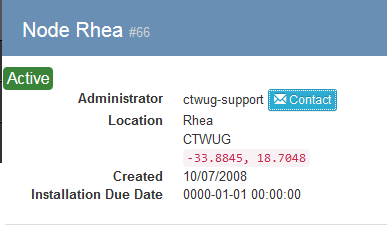
Tracert to Razor’s Gaming Server : 172.26.29.5 displays packet losses and timeouts @ rhea.ctwug.za.net
Just letting you know . . .

2 Likes