I’ve become aware of some malware on various CTWUG PCs.
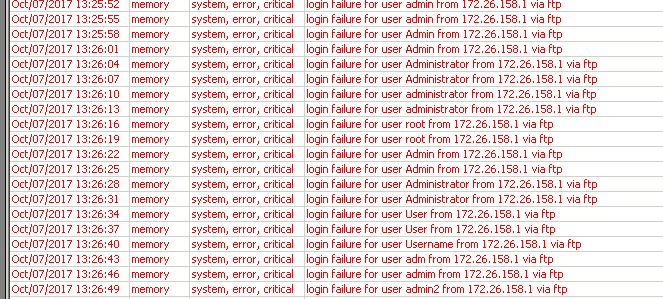
Symptoms that you are affected is that your PCs is attempting to crack passwords on your Mikrotik router (but via ftp). If you have lots of this in your router logs (but from your own PC) then you probably have an issue:
It’s unclear but I don’t wish to speculate here. I will leave speculation to this thread. Do not speculate here
I will post below on possibly affected PCs. Please have a look and scan your PCs. Also be careful what you open on these PCs. E.g. avoid banking and sensitive applications.
Potential Source
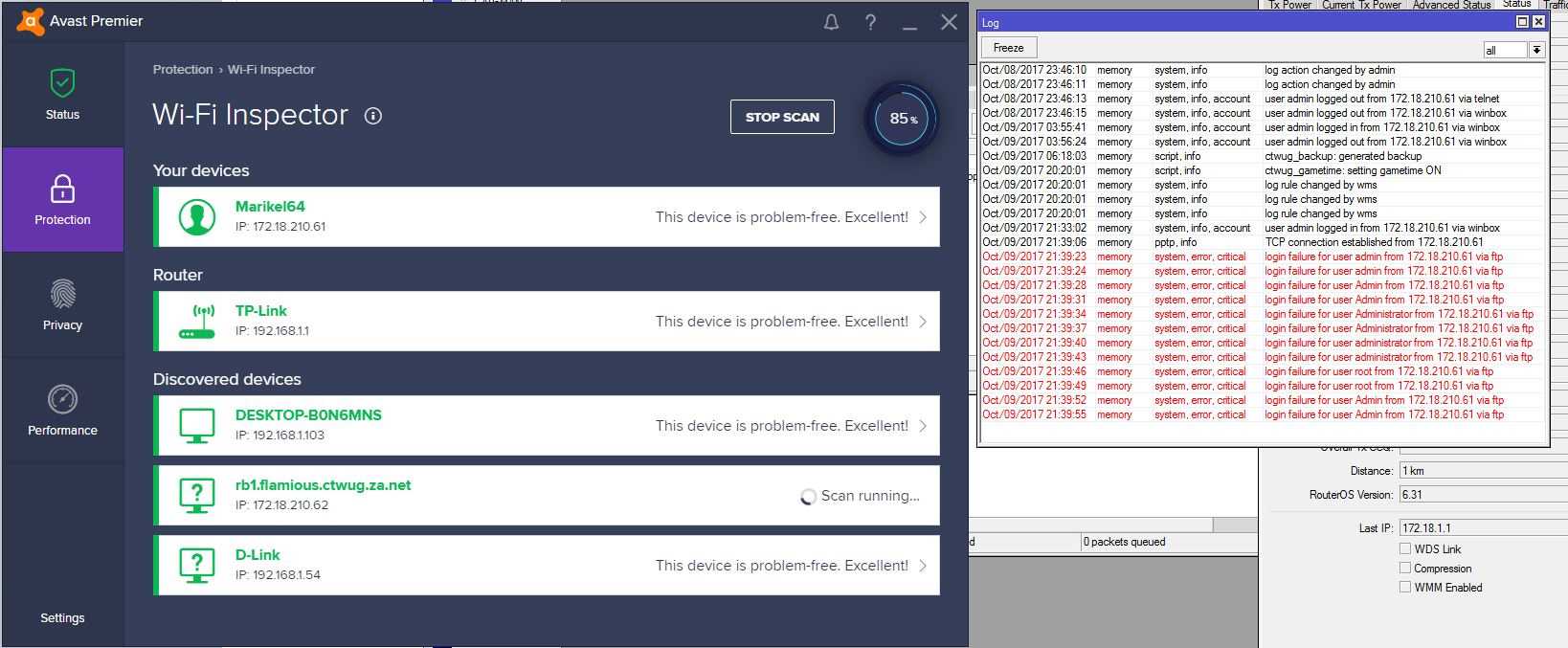
Can those people below confirm whether they run Avast? Apparently this does some bruteforcing on your own routers? Bit dodgy if you ask me (thanks @angryplum)
Yeah it’s a weird feature checking if your home routers have default passwords set. I’d be happy if anyone wants to continue using Avast as long as you disable Wifi Inspector feature. At least on routers running WMS.
It scans with common logins and when it scans your network and it can login with any of the details then it should warn you so u can change it to avoid anyone logging in with weak/default usernames and passwords this if from Avast site >
Wi-Fi Inspector scans your network for vulnerabilities and identifies potential security issues that open the door to threats. This feature checks the status of your network, devices connected to the network, and router settings. Wi-Fi Inspector helps you secure your network to prevent attackers from accessing it and misusing your personal data